~ Capture & Edit Your #BestLifeEver With Adobe Photoshop Elements ~
The reviewer has been compensated in the form of a Best Buy Gift Card and/or received the product/service at a reduced price or for free.
Unlock Your Creative Potential with Adobe Photoshop Elements
For many years, the mere mention of “Photoshop” would send shivers down my spine. I, like countless others, viewed it as an intimidating behemoth of a program, exclusively reserved for seasoned professional photographers and graphic designers with years of training. The complexity seemed insurmountable, and the learning curve felt like climbing Mount Everest. I was convinced that for a casual picture-taker or someone just starting their journey into digital photography, it was simply out of reach. But I couldn’t have been more wrong. The landscape of photo editing has evolved dramatically, and Adobe Photoshop Elements has completely revolutionized accessibility, making powerful image manipulation tools available to everyone.
Adobe Photoshop Elements stands out as an intuitive, user-friendly software solution designed to empower anyone to easily organize, edit, create, and share their precious photos and videos. It bridges the gap between basic smartphone editing apps and professional-grade software, offering a comprehensive suite of features without the overwhelming complexity. Whether you’re a parent capturing every milestone, a hobbyist documenting your travels, or simply someone who wants to make their everyday photos look spectacular, Elements provides the tools you need to transform ordinary moments into extraordinary memories. It’s about making your “#BestLifeEver” look even better, ensuring every shot tells a compelling story with clarity and artistic flair.
Getting Started: Seamless Installation and Intuitive Interface
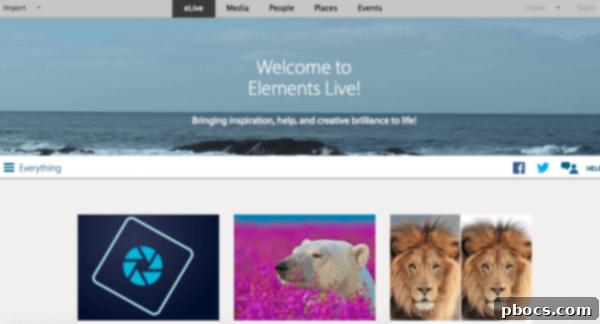
Diving into the world of advanced photo editing has never been easier. The initial setup for Adobe Photoshop Elements is remarkably swift. After a quick download, which typically takes only a few minutes depending on your internet connection, you’re ready to launch the software. Upon opening, you’re greeted with a welcoming interface that immediately offers clear choices: you can either upload an existing picture to jump straight into editing, or you can begin the vital process of importing and organizing your entire photo and video library. This initial flexibility ensures that whether you have a specific image in mind for a quick edit or you’re ready to tackle the daunting task of digital asset management, Elements has you covered right from the start. Its design philosophy centers around guiding users through each step, making complex tasks feel achievable even for first-time users.
Effortless Photo Organization: Taming Your Digital Chaos
In today’s digital age, we accumulate thousands of photos and videos faster than ever before. Our phones and cameras are overflowing with cherished memories, yet finding that one specific picture often feels like searching for a needle in a haystack. This is where Adobe Photoshop Elements truly shines, transforming photo management from a chore into an organized pleasure. When you first import your media, Elements intelligently sorts photos by date, which is an absolute lifesaver for anyone with a sprawling collection of “a billion pictures,” as many of us can attest to.
But the organizational power doesn’t stop there. Elements goes above and beyond, offering robust categorization tools that help you curate your visual narratives. You can easily organize your collection into meaningful categories such as “People,” “Events,” and “Places.”
Smart Categorization for Easy Access
- People: This intelligent feature uses facial recognition technology to identify individuals in your photos. You can then name specific faces and create custom groups for family members, friends, or colleagues. For instance, I created an “Events” category for a blogging conference and tagged the faces of my “blogging buddies,” making it incredibly simple to find all photos featuring them. This is invaluable for creating personalized albums or slideshows.
- Events: Group your photos by significant occasions like birthdays, holidays, vacations, or specific projects. Elements allows you to create custom event tags, ensuring that all memories from a particular moment are bundled together and easily retrievable.
- Places: Leveraging geotagging data, Elements enables you to view exactly where each photo was taken on an interactive map. This visual organization is fantastic for travel enthusiasts or anyone who loves reminiscing about specific locations. It definitively surpasses my old system of simply keeping everything on my phone and camera until “storage full” warnings appear – a predicament many can relate to without judgment!
Beyond these primary categories, you can also add custom tags, keywords, and ratings to your images, making them highly searchable. Imagine needing a photo from your child’s first birthday party, featuring their grandparent, taken at the park. With Elements’ robust tagging system, finding it takes mere seconds, not minutes of endless scrolling. This superior organization ensures your most cherished memories are always at your fingertips, ready to be edited, shared, or simply relived.
Transformative Editing: Unleash Your Inner Artist
While organization is key, the real magic of Adobe Photoshop Elements unfolds in its editing capabilities. This is where you can truly refine your images and inject them with creative flair. Elements offers multiple editing modes – Quick, Guided, and Expert – catering to different skill levels and specific editing goals. This tiered approach means beginners can achieve stunning results with minimal effort, while more experienced users have access to advanced controls.
Quick Edit: Instant Enhancements
For those times when you need fast, effective fixes, the Quick Edit mode is your go-to. It provides one-click solutions for common issues, allowing you to quickly adjust exposure, color, and sharpness with automated suggestions. This mode is perfect for enhancing a batch of photos or making rapid improvements before sharing.
Guided Edit: Step-by-Step Creativity
The Guided Edit mode is a standout feature for anyone looking to learn and apply more complex techniques without feeling overwhelmed. It provides step-by-step instructions for popular edits, from basic adjustments to creative effects. Each guide walks you through the process, explaining what each tool does and how to use it, turning you into an editing pro one step at a time.
Expert Edit: Full Control for Advanced Users
When you’re ready to take full control and apply intricate edits, the Expert Edit mode offers the comprehensive suite of tools Photoshop is famous for. Here, you have complete freedom to manipulate every aspect of your image, layer by layer, with precision and creativity.

Essential Editing Features You’ll Love:
- Camera Shake Removal: One of the most frustrating aspects of photography is capturing that perfect moment, only to realize it’s slightly blurry due to an unsteady hand. Elements’ Camera Shake Reduction tool is a true marvel. With just a click, it analyzes the image and intelligently stabilizes it, often salvaging pictures you thought were lost. It’s a game-changer for spontaneous shots and low-light conditions.
- Healing Brush (and Spot Healing Brush): Imagine having an unwanted object, blemish, or even a photobomber in an otherwise perfect picture. The Healing Brush tool allows you to seamlessly remove these distractions. Simply paint over the unwanted element, and Elements intelligently replaces it with surrounding pixels, making it vanish “poof!” without disturbing the rest of the picture. This content-aware technology is incredibly effective for minor touch-ups and major object removal alike.
- Background Removal and Compositing: Elements empowers you to go beyond simple retouches and venture into creative compositing. Here’s a fun example: I took a selfie of my husband at the Sunflower Ranch earlier this year. He liked the picture but found it a bit “girlie” and never used it as a profile picture, which was my original intention. So, I decided to have some fun with it. Using the intuitive eraser tool, I quickly removed the background from his selfie. Then, with the Move Tool, I dragged his isolated image into a historical photo of the exact street I grew up on in Brooklyn back in the 80s. The result was a surprisingly cool, vintage-meets-modern composite.


After compositing, I further refined the image by playing around with the colors, contrast, and lighting to blend the two disparate elements together more seamlessly. While it wasn’t absolutely perfect (I’ve only done this type of complex editing a few times), the process was remarkably straightforward and yielded an impressive result, showcasing the creative possibilities within Elements. This project demonstrated how accessible even advanced techniques like image compositing can be with the right tools.
Enhancing Portraits and Applying Creative Effects
- Portrait Retouching: Beyond basic fixes, Elements offers specific tools to enhance portraits. You can effortlessly whiten teeth, smooth skin, open closed eyes, and even adjust facial features, all while maintaining a natural look. These tools help ensure everyone looks their best in your photos.
- Color Correction and Adjustment: Elements provides powerful tools to correct color imbalances, adjust exposure, enhance vibrance, and fine-tune saturation. Whether your photo is too dark, too bright, or has an unnatural color cast, Elements makes it easy to bring out its true beauty.
- Creative Effects and Filters: With access to over 2500 different effects and filters, your creative options are virtually limitless. You can transform the mood of your photo instantly. For example, I took one of my own selfies that was initially overexposed and too bright. Using one of the many available effects, I quickly gave it a classic, elegant black and white look, entirely changing its character and making it much more appealing. These effects range from artistic filters and textures to vintage looks and dramatic enhancements, inviting you to experiment and find your unique style.


Seamless Sharing: Showcase Your Masterpieces
Once you’ve invested time and creativity into perfecting your photos and videos, sharing them with the world, or with loved ones, is the natural next step. Adobe Photoshop Elements makes this process incredibly simple and integrated. Beyond just exporting to your computer, Elements offers direct sharing capabilities that streamline your workflow.
- Social Media Integration: You can directly share your edited photos and videos to popular social media platforms like Facebook, YouTube, and Vimeo with optimized settings for each. This means your content will look its best and load efficiently for your audience, whether it’s a stunning landscape photo or a heartwarming family video.
- Email and Messaging: For more private sharing, Elements allows you to quickly send images via email or integrate with messaging apps, ensuring your personal memories reach specific individuals or small groups effortlessly.
- Creative Projects: Elements isn’t just about digital sharing. It also empowers you to create physical keepsakes. You can design stunning photo books, personalized calendars, greeting cards, and even professional-quality prints directly from your edited images. Imagine crafting a custom Christmas card featuring your beautifully enhanced family portrait, or designing a scrapbook of your adventures.
- Online Galleries: For photographers looking to showcase their work, Elements provides tools to create elegant online galleries, allowing you to share a curated collection of your best shots in a professional format.
The ability to effortlessly share your creative output is truly amazing. You’ve got to try it out and see for yourself how easy and rewarding it is to bring your visual stories to life and share them with the world. Elements ensures that your “#BestLifeEver” is not just captured and edited, but also celebrated and shared.
The Perfect Gift for Every Occasion
With the holidays right around the corner, or any special occasion, Adobe Photoshop Elements makes an absolutely perfect and thoughtful gift for anyone. It’s a present that keeps on giving, unlocking endless creative possibilities and allowing loved ones to cherish and enhance their memories for years to come.
Consider gifting it to:
- The New Mom: She’s constantly snapping countless adorable pictures of her baby, and Elements will help her organize those precious moments, fix any blurry shots, and create beautiful albums or announcement cards.
- The Photography Enthusiast: Whether they’re a budding hobbyist or an experienced shutterbug, Elements provides powerful tools to refine their craft, experiment with new techniques, and bring their artistic vision to life without the steep learning curve of professional software.
- Yourself: Why not treat yourself? Use it to create stunning personalized Christmas cards, design unique photo gifts for family and friends, or simply elevate your everyday photos. You can even edit some of your favorite pictures, print them out, and frame them as heartfelt, custom gifts that truly stand out.
- The Family Historian: Help them preserve and restore old family photos, ensuring that invaluable memories are digitized, enhanced, and shared with future generations.
Adobe Photoshop Elements is more than just photo editing software; it’s a gateway to creativity, memory preservation, and personal expression. Its blend of powerful features and user-friendly design makes it an indispensable tool for anyone who loves capturing moments. Don’t miss the opportunity to transform your digital memories into works of art. The latest version of Adobe Photoshop Elements is now conveniently available at Best Buy, making it easy to pick up this fantastic software and start editing your “#BestLifeEver” today.